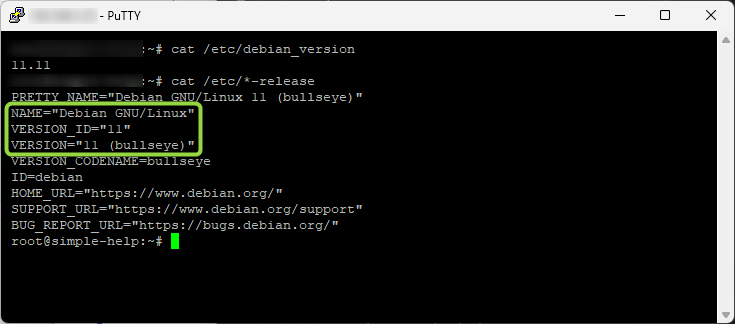
How to upgrade from Debian 10 Buster to Debian 11 Bullseye
In this guide, we've got a server that's running Debian 10 that needs to be upgraded to Debian 12.
Direct upgrades from Buster to Bookworm are not supported so we first have to upgrade from Debian 10 to 11, and then to 12.
Phew, lets get started!
Reference:
Debian 12 release notes
https://www.debian.org/releases/bookworm/amd64/release-notes/ch-about.en.html
Please note that we only support and document upgrading from the previous release of Debian (in this case, the upgrade from bullseye). If you need to upgrade from older releases, we suggest you read previous editions of the release notes and upgrade to bullseye first.
1. Getting ready for the upgrade
Backup
Before we get started, we'll take a full backup of the server
Check disk space
And we'll check there is enough free disk space to do the upgrade
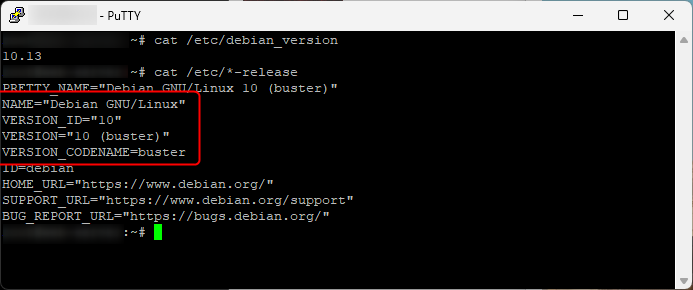
Check Debian OS version
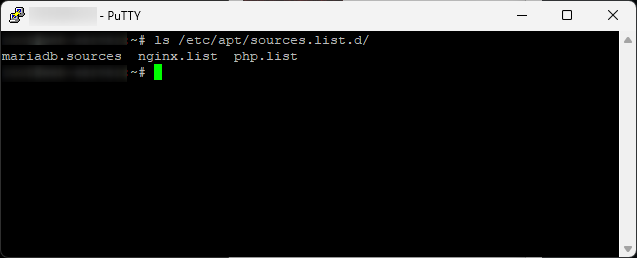
Check third party repositories
Any third party repositories will also need to be updated for Debian 11 sources and the applications upgraded
mariadb nginx and php are installed so they will have to be updated to Bullseye as part of the main OS upgrade
We're not going to cover the steps for these individually as this will be different depending on what applications you've installed
Install updates and reboot
Refresh apt sources, install updates and restart
2 Edit apt sources
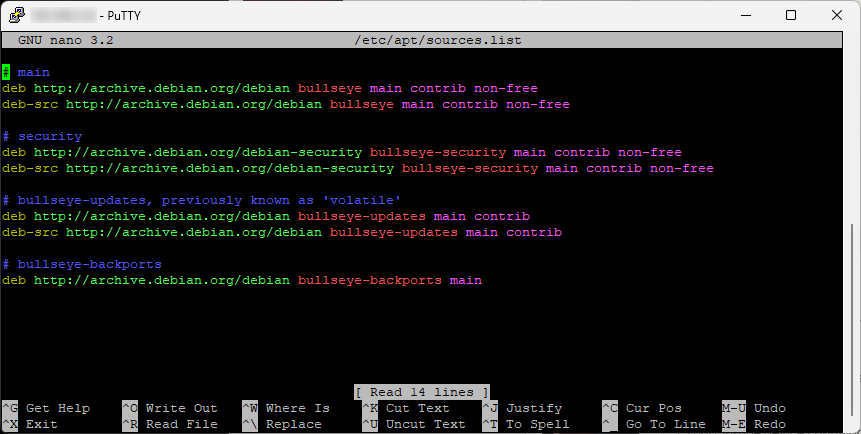
Edit apt sources and change to Debian 11 Bullseye
apt sources.list before changes
Debian 11 is end of life so updates have been moved to archive.debian.org
main
replace buster with bullseye
security
replace buster/updates with bullseye-security
updates
replace buster-updates with bullseye-updates
backports
replace buster-backports with bullseye-backports
New apt sources.list for Bullseye
3 Update third party repos
Edit apt sources for third party repositories for MariaDB, Nginx and PHP
We're not covering these step by step in this guide because each application will be different
4 Run minimal upgrade
Run minimal upgrade first before running the full OS upgrade
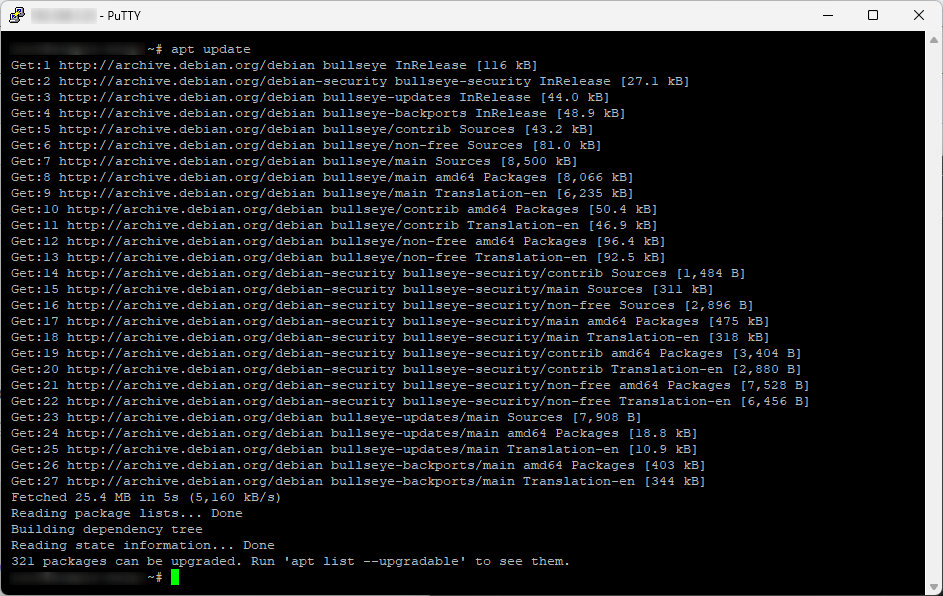
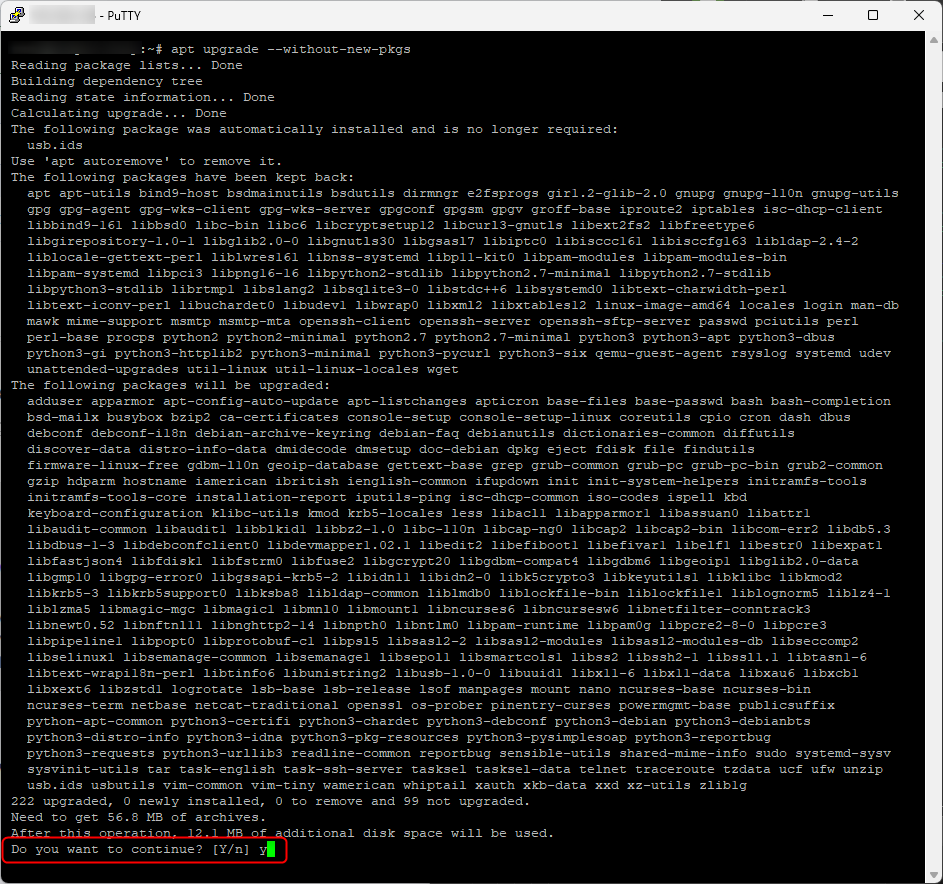
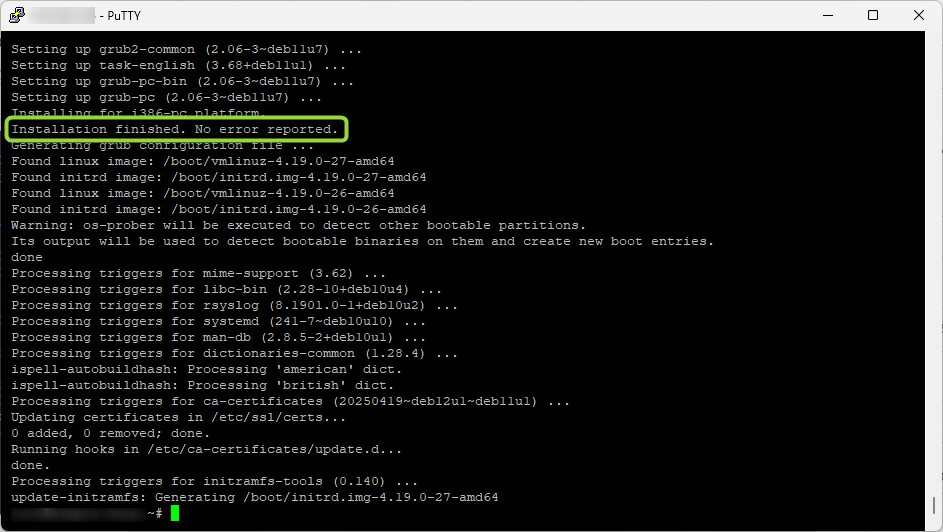
You will get prompted for any package changes that need you to confirm or changes to config files
Installation finished. No error reported.
Restart
5 Run full upgrade
Run the full OS upgrade
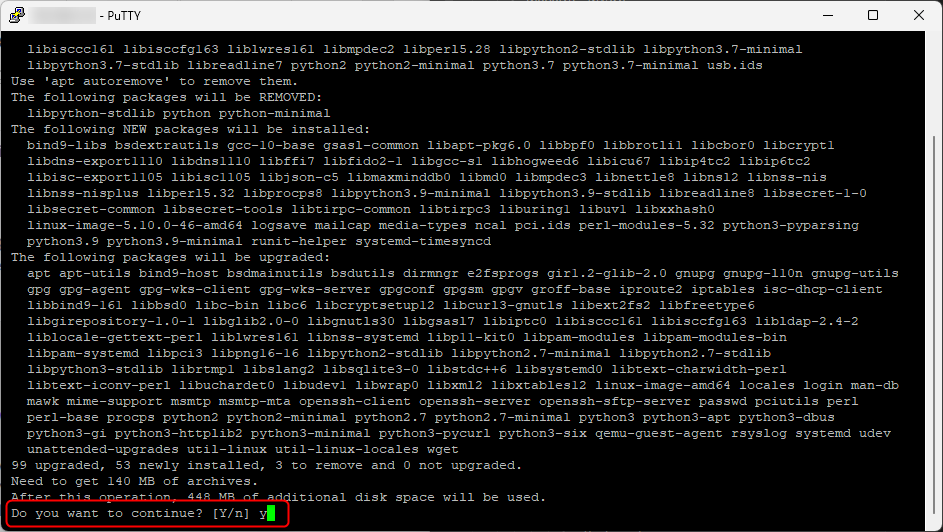
Restart
Check OS version
Debian has been upgraded to 11 Bullseye